Layers Studio: Put the Title Behind Your Model + Seedream 5.5 and Seedance 2.5 Flash | What's New
Meet Layers Studio: split any photo into editable layers like Photoshop, put a magazine title behind your influencer, add AI backgrounds and blend it all with AI. Seedream 5.5 and Seedance 2.5 Flash are live, you can run 4 videos at once, and billing is fairer: credits are held, settled once, refunded on failure.
Layers Studio Is Here: Put the Title Behind Your Model
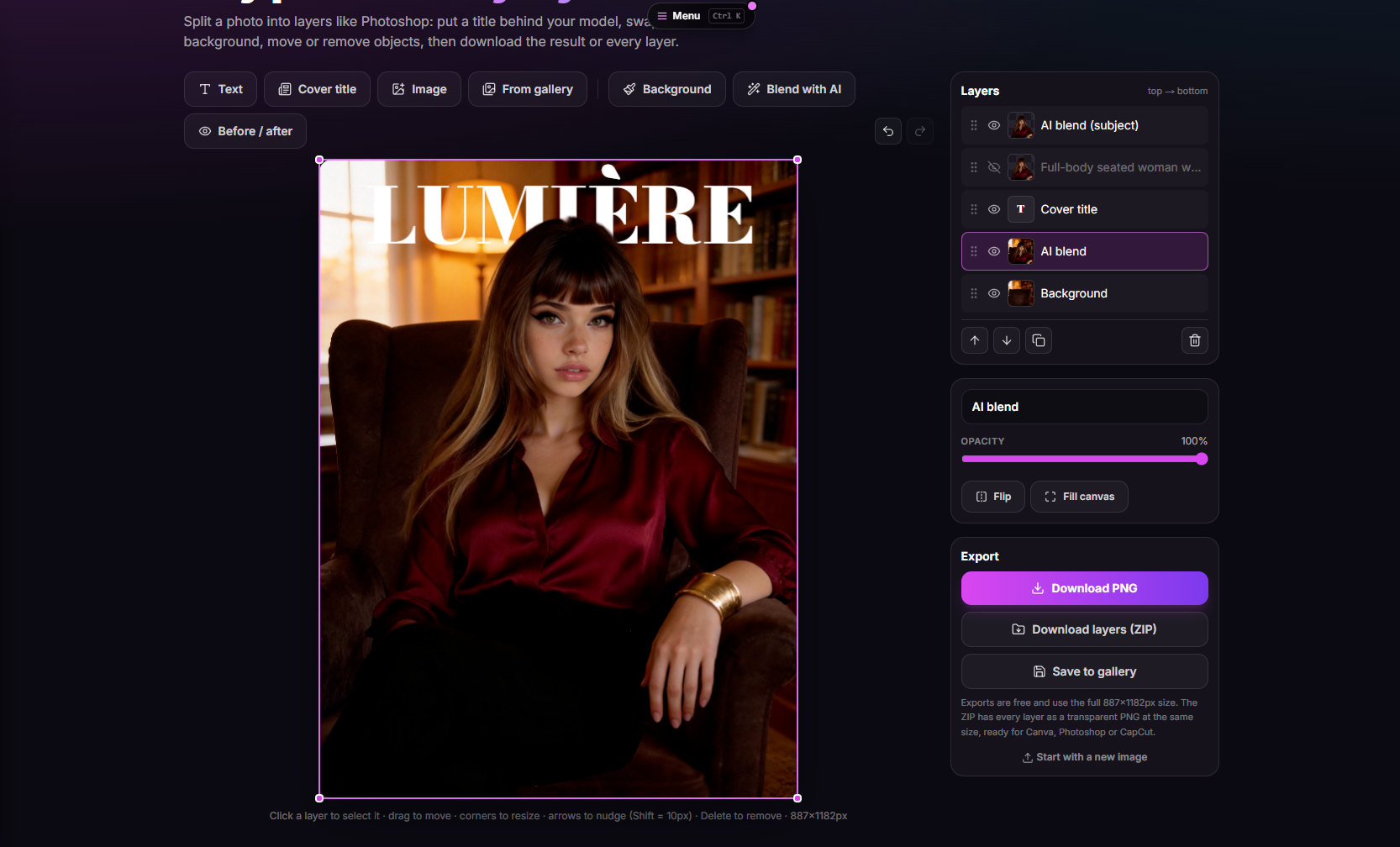
This week's big one is Layers Studio. It splits any photo into separate layers, like Photoshop, so you can put a magazine title behind your influencer, swap the background, move or remove objects, and download every layer as a transparent PNG.
In our last post we said three new models were coming. Seedream 5.5 and Seedance 2.5 Flash are now live, with their prices below. We also made video generation faster and billing fairer.
🧅 Layers Studio: Editable Layers in One Click
Open Layers Studio from the Images menu, pick a photo from your gallery or upload one, and choose how to split it. You can also open any image straight from the Image Studio lightbox ("Open in Layers") or from the Content Gallery ("Open in Layers Studio"). Layers Studio is on every plan and you pay in credits.
Split Any Photo Into Layers
- • 4 presets: Person + background (default), Person + props + background, Everything (auto), and Text & graphics for posters, thumbnails and covers.
- • 2 to 12 layers per split (the background counts as one), and you can add extra details to guide the split.
- • Two qualities: 1K (default) or 2K.
- • Fair price: a person + background split costs 7 credits at 1K (12 at 2K). The maximum is held when you start, you pay only for the layers you get back, and the rest is refunded right away. If the split fails, you get everything back.
- • Takes JPEG, PNG or WEBP photos up to 10 MB.
Edit on a Real Canvas
- • Move and resize layers, then reorder, hide, duplicate or delete them in the layers panel.
- • Undo/redo (Ctrl+Z, Shift+Ctrl+Z, Ctrl+Y) and flip image layers.
- • Add text in 7 fonts: Bodoni, Playfair, Anton, Bebas Neue, Montserrat, Inter and Great Vibes.
- • Swap the background for an uploaded or gallery image, or a colour or gradient fill.
- • Free export at full size: Download PNG, Download layers (ZIP of transparent PNGs), or Save to gallery.
- • Note: projects aren't saved yet, so export before you leave the page. We'll warn you before you do.
📰 Phase 2: Title Behind the Model, AI Backgrounds, Blend With AI
Magazine Studio: "Title Behind the Model"
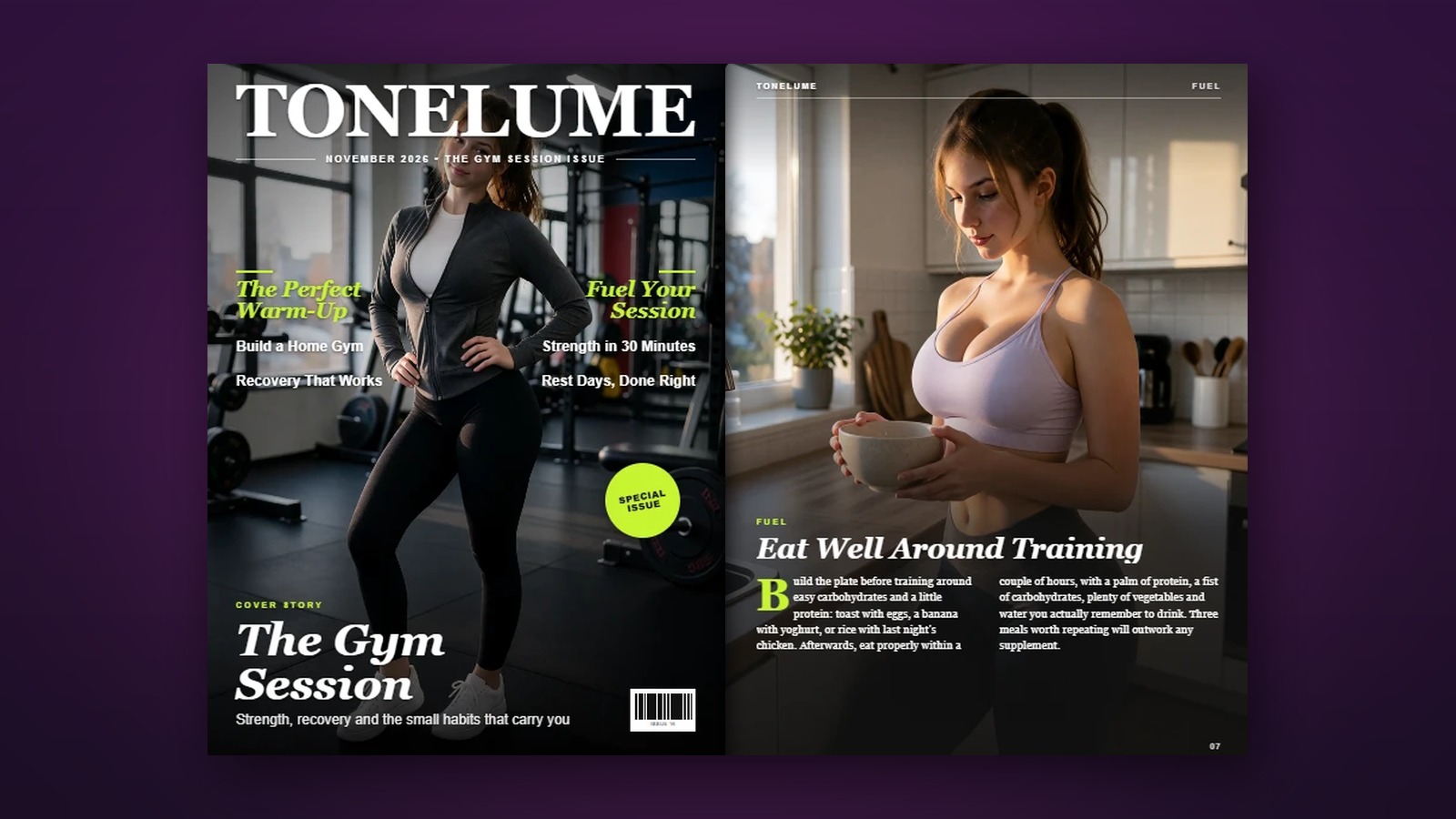
- • The classic cover look: turn on the toggle and the cover is framed so your influencer's head rises into the magazine name. They are cut out and placed in front of the title, and the title stays editable text.
- • +7 credits at 1K, +12 at 2K on top of the cover price, charged once per cover photo (a new cover photo needs a new cut-out).
- • Nothing is charged if no person is found, and a retry reuses the paid cut-out at no new charge.
Layers Studio: "Cover Title" Preset (Free)
- • One click adds a magazine-style masthead (an invented name, "LUMIÈRE") sized to fit the width and placed behind your influencer.
- • Make it yours: change the text, font and colour. Please use your own invented magazine name: real magazine brands are blocked.
AI Backgrounds
- • 6 ready scenes: Studio seamless, Luxury bedroom, Beach sunset, Paris rooftop, Neon city and Pool villa, or describe your own.
- • Clean plates: no people, text or logos, so your influencer is the only subject.
- • 3 credits Standard (1.5K), 6 credits HD (2K). Refunded in full if it fails.
- • "Try another" replaces the last background, and Undo brings the old one back.
Blend With AI
- • Makes a composite look like one photo: it matches light direction, light colour, white balance, exposure and colour grade, and changes nothing else.
- • Two strengths: Subtle (light and colour only) or Natural (also contact shadows and edge/hair blending).
- • Your text stays sharp: the AI never sees or redraws any text.
- • 5 credits Standard, 7 HD, +1 with "Keep the face". Press and hold to compare before/after.
🚀 New Models: Seedream 5.5 and Seedance 2.5 Flash
Seedream 5.5 (Image Studio)
- • Text-to-image and image-to-image with up to 10 reference images. Image Studio switches mode automatically when you add references.
- • Sizes 1K, 1.5K and 2K, 8 aspect ratios, plus "auto" to match your references.
- • Transparent backgrounds (PNG output).
- • Price: 3 credits per image at 1K/1.5K and 6 at 2K without references. With references it's 5 to 17 credits, and the Generate button always shows the exact price.
- • Also in the Creative Agent composer.
Seedance 2.5 Flash
- • Seedance 2.5 quality, faster and cheaper: text-to-video and image-to-video, 4 to 30 seconds, 480p or 720p.
- • Price: 15 credits per second at 480p, 33 at 720p. With a reference video it's 10 / 21 credits per second, billed on the reference seconds plus the output seconds.
- • References: up to 10 images, 5 videos and 5 audio files in Seedance 2.0 Studio (reference videos up to 30 s in total). Video Studio uses up to 10 images.
- • Web search included. No 1080p or Draft mode: those stay on Seedance 2.5.
- • Where: Seedance 2.0 Studio, Video Studio, Affiliate Studio and Creative Agent Studio.
About MiniMax H3 Image
- • We dropped it. Its licence doesn't allow it in a hosted app like ours for users worldwide without separate permission, and the image models you already have (Seedream 5.5, Nano Banana 2.1, Krea 2 and more) cover what it does.
📸 LoRA Dataset Studio: Seedream 5.5 + Candid Smartphone Theme
Better Datasets for Training
- • Seedream 5.5 replaces Seedream 4.5 Edit: square images, 1K / 1.5K (recommended) / 2K, using 1 to 5 references.
- • Ready for training: every image is square and at least 1024 px.
- • New "Candid Smartphone Photo" theme: a raw phone-camera look with natural skin, slight grain, lamp and window light and real lived-in rooms.
- • Price per image: 5 to 9 credits at 1K/1.5K and 7 to 11 at 2K, depending on how many references you use. Credits are held at the start and refunded if an image fails.
🎬 Faster Video Work and Fairer Billing
Up to 4 Generations at Once
- • Run up to 4 videos at the same time in Seedance 2.0 Studio, Video Studio, WAN 3 Studio, Kling 4 Studio and Gemini Omni Studio.
- • The Generate button unlocks as soon as a job starts, and a "generating…" counter shows what's running.
- • Multi-scene Seedance films keep running if you leave the page, so the stitched film is still saved.
Credits Held, Settled Once, Released on Failure
- • Held at start: each video holds its price when it starts, so parallel jobs can never overspend your balance.
- • Settled once when the job ends, with any unused part refunded.
- • Released in full if the job fails or never starts.
Smarter Prompt Enhancer
- • The reference photo is for identity only: face, hair, skin tone and body type. Its clothes, background and lighting are no longer copied.
- • The outfit fits the scene: if you don't name one, the enhancer picks a complete outfit that suits the place, activity, season and mood. Any piece you name is kept.
- • Same outfit in every shot. With a first frame, the clothing in that frame is kept exactly.
🤖 For Agents: API and MCP
The new Layers tools and both new models are also available through the API, MCP, CLI and agent skill, on the Creator and Professional plans.
New Tools and Model IDs
- •
split_image_layers: split a photo into transparent PNG layers (1K or 2K, 2 to 12 layers, from 7 credits). You pay only for the layers returned. - •
generate_layer_background: an empty AI background plate, 3 credits standard or 6 HD. - •
blend_composite: match light and colour on a composite, 5 to 8 credits. - •
compose_title_behind: build a cover with the title behind your influencer. Free (0 credits). - •
seedream-5-5ingenerate_image(1K / 1.5K / 2K, up to 10 refs). - •
seedance-2.5-flashfor video (480p/720p, 4-30 s, 15 / 33 credits per second). - • Layers tools aren't in Creative Agent projects yet.
Put the Title Behind Your Model
Split a photo, add a cover title behind your influencer and export every layer in a few clicks.
Open Layers Studio ✨All plans • Splits from 7 credits • Cover title free • Export free