Run a Fanvue AI influencer from one studio
A Fanvue AI influencer is a fictional adult creator, made entirely with AI, who posts on Fanvue. AI Influencer Studio keeps the same face with a character LoRA, then builds the free feed, subscriber photo sets, PPV videos with teasers and sales messages, voice notes, and analytics read from Fanvue's official API.
This page covers the Fanvue side of AI Influencer Studio: what each Fanvue tool makes, which plan it needs and what it costs. Fanvue Studio is on Creator and Professional. Connecting Fanvue, and every tool that uses the connection, is on Professional. You start with 100 free credits and no card.
No card needed · plans from $9.99/month · cancel anytime
5
sales texts with every PPV drop
15 / 30 / 60 s
PPV videos, each with a 4-second teaser
Up to 8
matching photos per Fanvue Agent set
One influencer, one face, many Fanvue posts
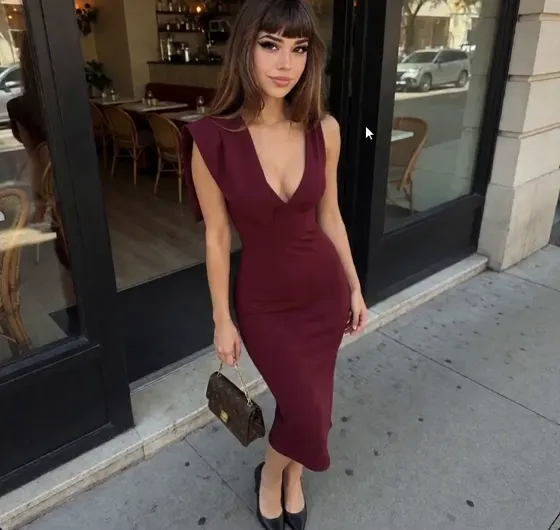
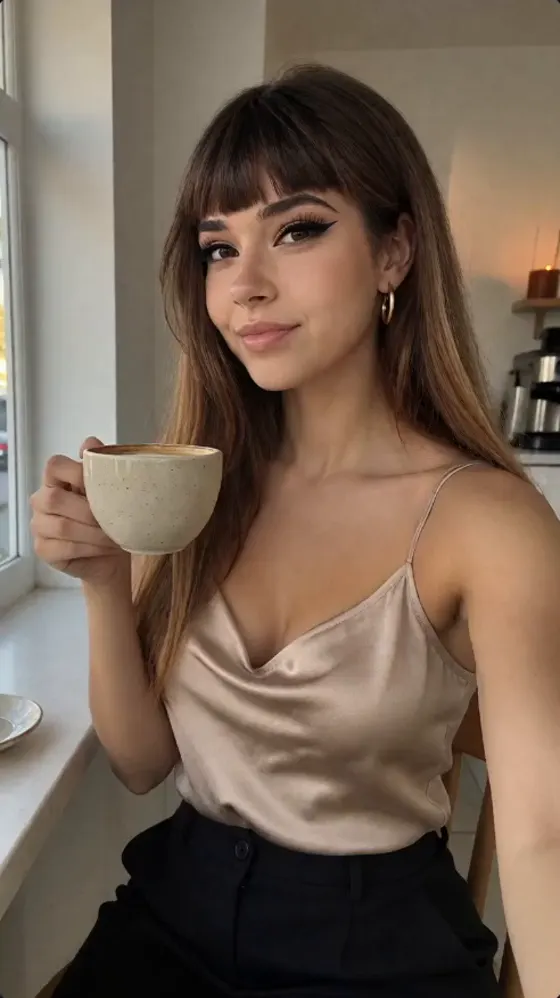
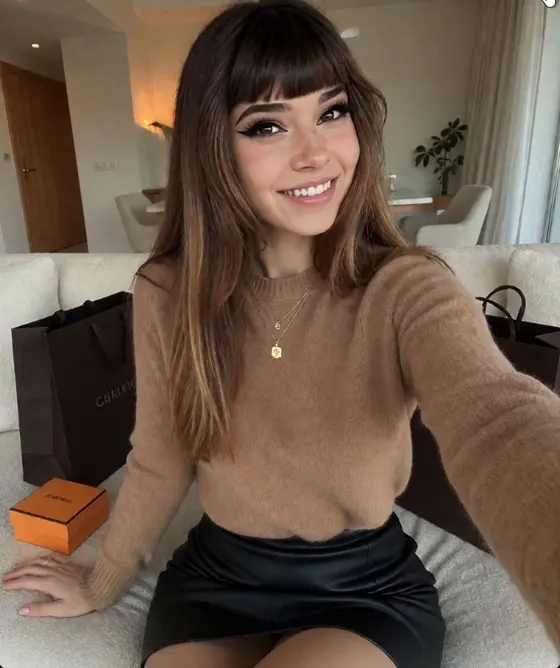
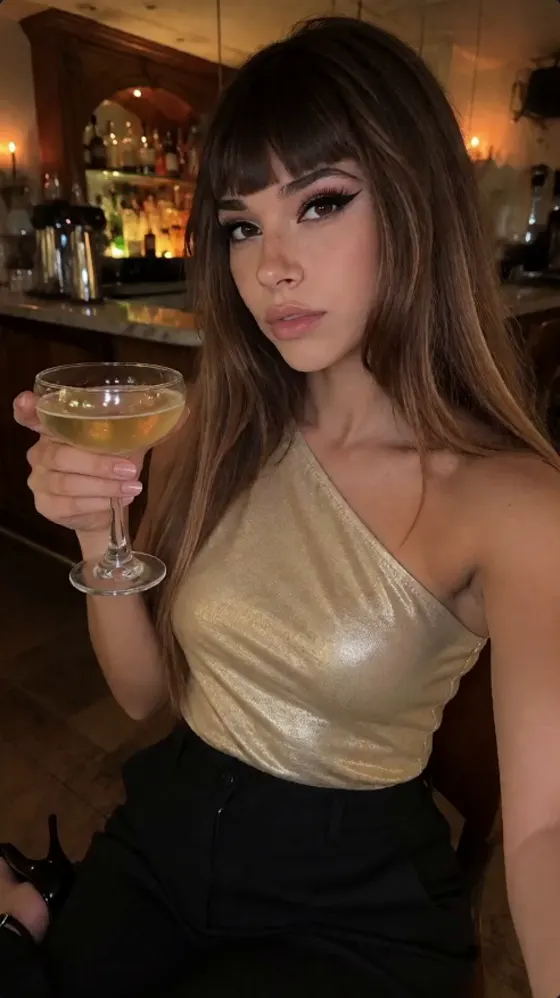
Free-feed style photos of Skye, a fictional AI influencer made in the studio. The face stays the same across outfits and rooms.
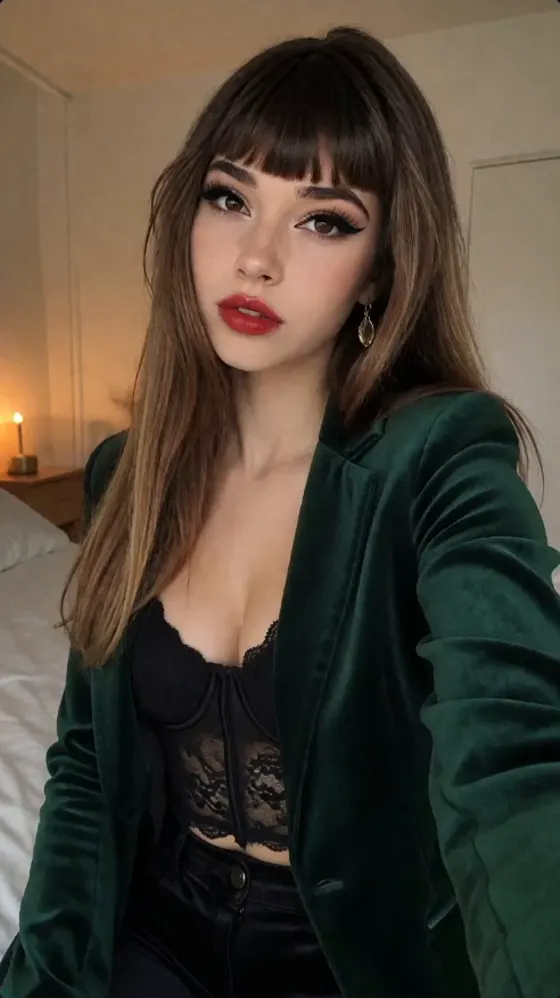
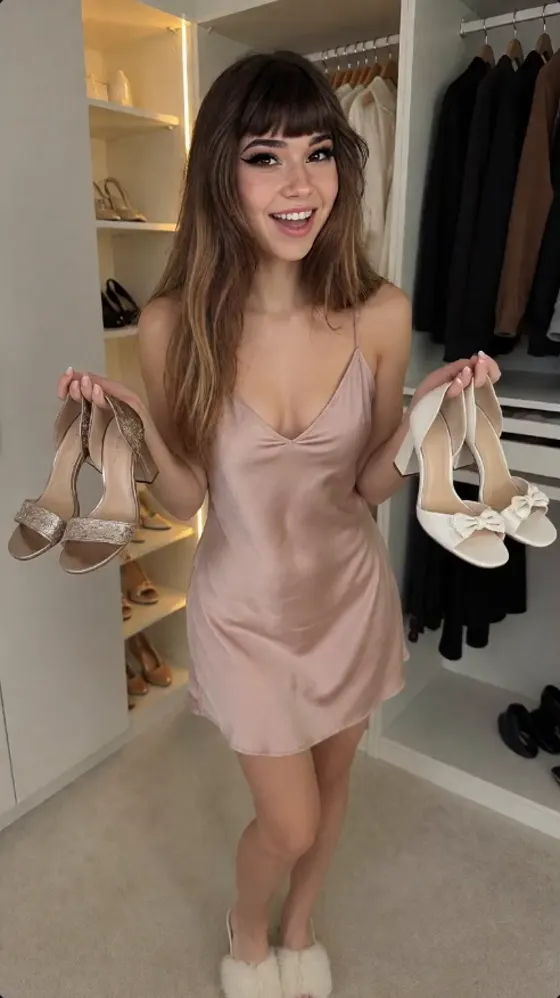
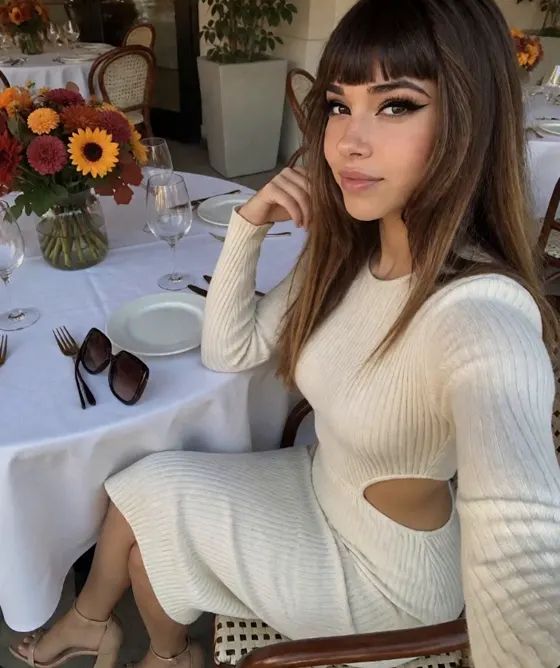
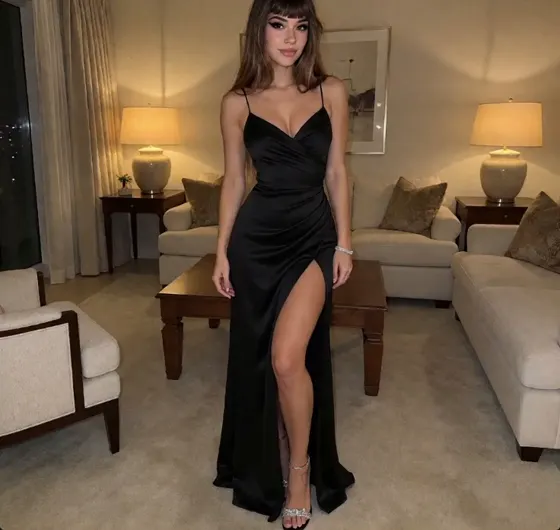
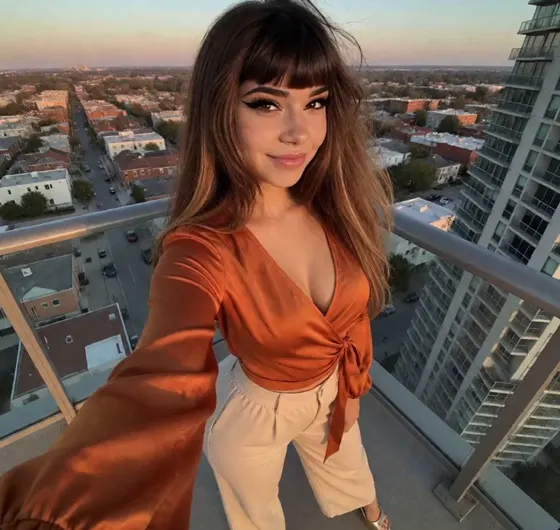
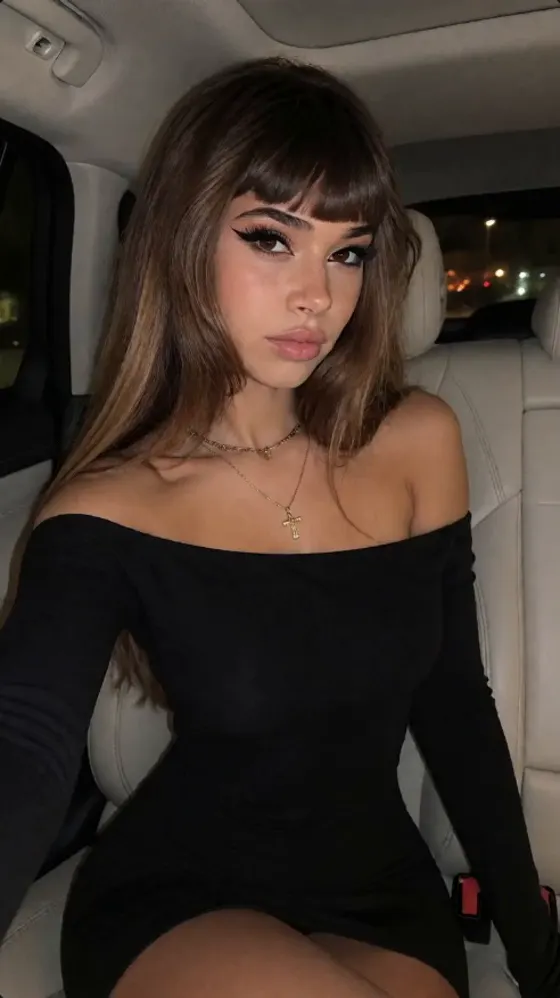
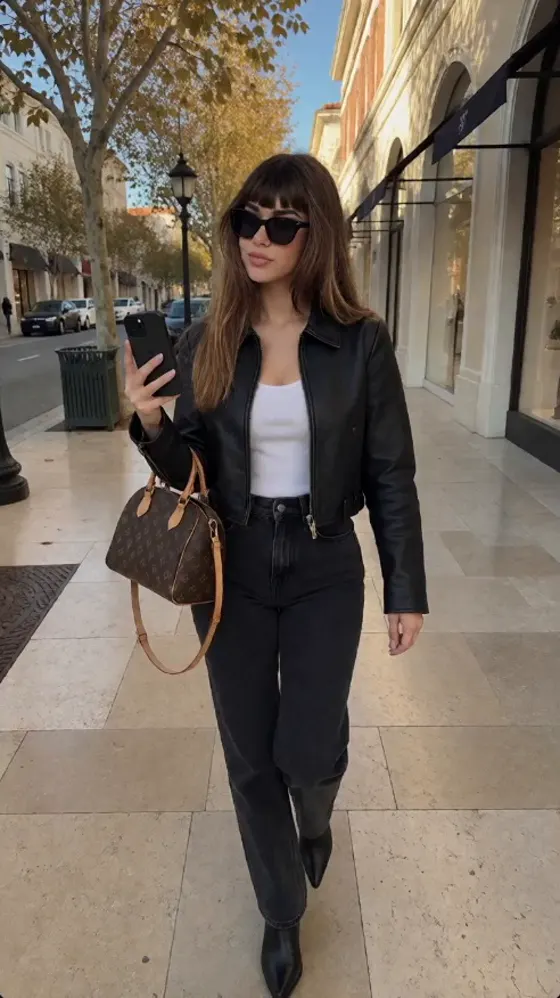
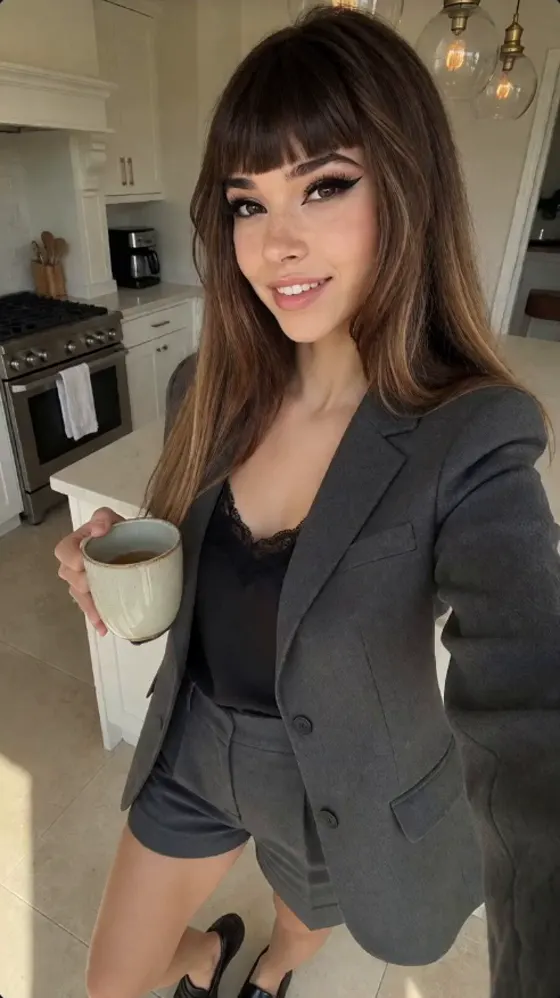
What you get
Fanvue Studio
Free feed posts, subscriber sets and PPV sets made with your character LoRA, plus voice notes and talking videos. Suggests a PPV set price from its contents, minimum $4.99. Creator and Professional.
PPV Studio
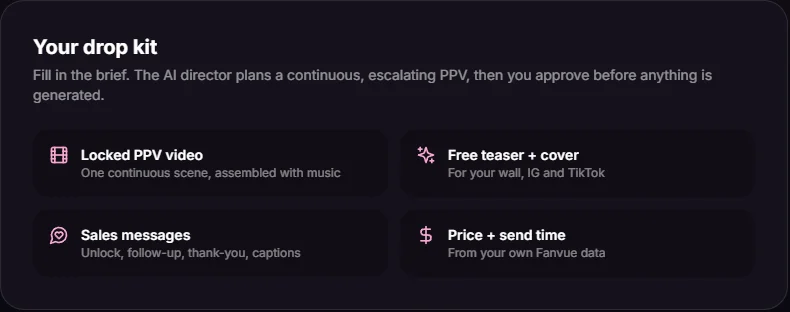
One brief becomes a 15, 30 or 60-second video, a 4-second teaser, a cover and five sales texts. You review the director's plan and estimated credits first. Professional.
Fanvue Drop Studio
A theme becomes concepts, and each concept a free post, a subscriber set and a PPV video with a teaser preview and suggested price, scheduled to Fanvue. Professional.
Fanvue Agent and Inbox
A brief becomes a set of up to 8 matching photos with a caption, posted only after you approve. The Inbox drafts replies you edit and send. Professional.
Fanvue Director
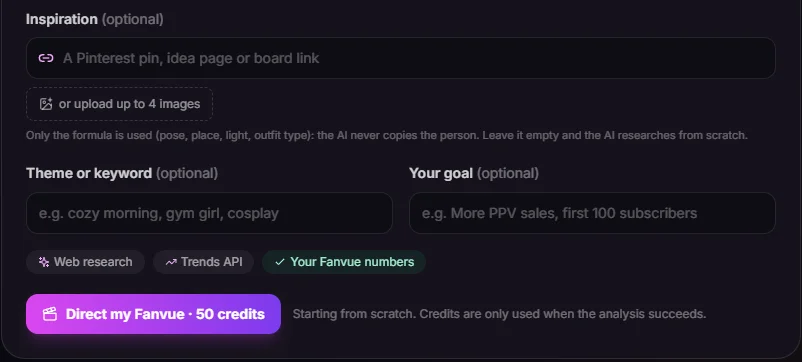
A 50-credit analysis of an inspiration plus your Fanvue stats, turned into a 14-day free, subscriber and PPV plan with optional Instagram, X and Reddit teasers. Professional.
Fanvue Analytics
Earnings by source, subscriber changes, top spenders, retention, unsubscribe reasons and paying tracking links from Fanvue's official API, plus a rule-based coach. No credits. Professional.
Voice notes
MP3 voice notes with OmniVoice voice clone, Chatterbox Turbo or ElevenLabs v4, up to 10 per batch. You attach and send them on Fanvue yourself.
Adults only, fictional only
PPV Studio and Fanvue Agent refuse briefs involving minors, family roles, real people, non-consent, hidden cameras or animals. Every character is a fictional adult, 21+.
How it works
- 01
Build the free feed and subscriber sets
Pick your influencer and a content type: free post, subscriber set, PPV set, voice note or talking video. Images use your character LoRA so the face stays consistent.
- 02
Turn one idea into a PPV drop
Write a short brief, choose 15, 30 or 60 seconds and a video model, review the plan and the credits it reserves, then generate. Unused credits come back.
- 03
Package a theme for all three tiers
Turn a theme into concepts, and each concept into a free post, a subscriber set and a PPV video with a teaser. Check each package before it is scheduled.
- 04
Approve and schedule sets
Fanvue Agent builds a matching photo set and caption. Choose free, subscribers only or pay-to-view, then post now, at the next 9 PM New York slot or on a date.
- 05
Plan two weeks ahead
Fanvue Director reads an inspiration and your stats, then lays out a 14-day plan across free, subscriber and PPV posts.
- 06
Read your own numbers
Fanvue Analytics shows earnings by source, retention and the links that bring paying fans, so you plan the next drop from your own data.
What it costs
1 credit is $0.01. Prices come from the same functions the app charges with. PPV Studio and Fanvue Agent reserve an estimate and return what is not used.
| Tool | Model | Cost | Per |
|---|---|---|---|
| Fanvue PPV Studio | Default: Wan 2.2 LoRA 720p, music, 12 shots, teaser, cover, 5 texts | 563 credits | per 60-second drop (estimate) |
| Fanvue PPV Studio | P-Video 2 Pro Reference 480p (4 x 15 s clips) | 227 credits | per 60-second drop (estimate) |
| Fanvue PPV Studio | Wan 2.2 LoRA shot | 23 / 34 credits | per 5-second shot at 480p / 720p |
| Fanvue Drop Studio | 5 Krea 2 photos, 3 x 15 s P-Video 2 Pro Reference videos, 5 s teaser | 141 / 307 credits | per concept (free post, subscriber set and PPV), cost / speed quality |
| Fanvue Agent | Photo set with your LoRA, caption and blurred teaser | 50 credits | per 5-photo set (budget held, unused credits returned) |
| Fanvue Agent Inbox | Chat assistant drafts | 1 / 2 credits | per reply draft / per PPV message draft |
| Fanvue Director | Inspiration and Fanvue stats analysis, 14-day plan | 50 credits | per analysis |
| Voice notes | ElevenLabs v4 | 13 credits | per 1,000 characters |
| Fanvue Studio | Krea 2 Turbo with your character LoRA | 3 / 5 credits | per image at 1K / 2K |
| Fanvue Analytics (Professional) | Official Fanvue API dashboard and growth coach | Included | no credits charged |
1 credit = $0.01. Plans from $9.99/month, credit packs from $4.99. See all prices
What people use it for
A new persona's free feed
Train the LoRA once, then post everyday scenes in different outfits so visitors see one consistent person.
A weekly subscriber set
One line such as a cozy Sunday morning becomes a matching photo set and caption, ready to approve for subscribers.
A planned PPV night
Build the locked video, teaser, cover and messages from one brief, and pick a send time from your earnings by hour.
Faster fan replies
Fanvue messages land in the Inbox; the assistant drafts a reply for 1 credit and you edit and send it.
Voice notes for top fans
Generate a short MP3 in your influencer's voice and attach it on Fanvue for the fans your analytics show spend most.
Checking what sells
Compare subscription, PPV and tip earnings and read unsubscribe reasons before planning the next two weeks.
How a Fanvue AI creator week is organized
Fanvue accounts usually work in three layers, and the tools follow the same split. The free feed is what followers and visitors see: the persona with a routine, such as coffee at home, a dinner out or a new jacket. These posts stay light and can double as teasers on Instagram or X. In Fanvue Studio this is the free post type; in Fanvue Agent it is the 'Free for followers' tier.
Subscriber sets are small groups of photos that belong together: same outfit, same room, different poses. A set reads as one moment, which is why Fanvue Agent builds a set of up to 8 photos from a single brief and keeps the outfit and room fixed. Sets go on the subscriber wall.
Pay-to-view is sold one item at a time, usually as a locked message. A drop needs more than the video: a preview, a cover, the unlock message, a follow-up for people who did not buy and a thank-you for those who did. PPV Studio writes all of these from one brief.
A week might be a few free posts, one or two subscriber sets and one PPV drop around a single theme. Fanvue Director can lay this out as a 14-day plan, and Drop Studio schedules the free post, wall post and PPV message for one concept together. How often you post and what you charge stays your decision.
What the Fanvue connection does and does not do
Connecting uses Fanvue's official OAuth sign-in and its v1 API. Tokens are stored server-side only, encrypted with AES-256-GCM, and you can disconnect at any time. Connecting is a Professional feature.
Once connected, the app reads earnings by source, subscribers gained and lost, top spenders, retention, unsubscribe reasons, refunds and tracking links for Fanvue Analytics. PPV Studio uses the same data for its price and send time: a baseline by length and intensity, pulled halfway toward what your fans paid once you have at least 3 paid PPV messages in the last 180 days.
The connection also publishes. Fanvue Agent and Drop Studio schedule free posts, wall posts and PPV messages through Fanvue's official API, and signed Fanvue webhooks feed the in-app Inbox with messages, money events and new fans.
The limits are clear. Nothing from Fanvue Agent posts until you approve it. The chat assistant writes drafts; you send them. The app makes voice note files but does not send them. Locked messages follow Fanvue's $3 minimum. Fanvue Studio works without any connection, so on Creator you can make content and upload it by hand.
Fanvue's AI disclosure rules, in short
Fanvue lets creators run AI personas but expects them to be open about it, and its rules can change. Our guide on whether Fanvue allows AI influencers, linked below, covers the current policy. Fanvue's help pages also say creators are responsible for AI-written messages and should answer honestly if a fan asks whether they are talking to AI.
Fanvue Director can add an automatic AI-generated label to the posts it schedules. Every character is a fictional adult aged 21 or over, and the tools refuse briefs about real or famous people. Label your content, keep the bio honest and read Fanvue's guidelines before your first post.
How Fanvue AI influencer tools compare
A neutral look at tools used for AI influencer content on Fanvue. Competitor cells come from vendor pages; check them before deciding, since prices change often.
| Tool | Keeps the same face with | Video models | Fanvue workflow | API / MCP | Paid plans from |
|---|---|---|---|---|---|
| AI Influencer Studio | Trained character LoRA; profile photos as references for reference-to-video models | In PPV Studio: Wan 2.2 LoRA, P-Video 2 Ref, Seedance 2 Mini, WAN 3 Prime | Fanvue Studio (Creator+); PPV Studio, Agent, Drop Studio, Director and Analytics on the official API (Professional) | API, MCP, CLI and agent skill on Creator and Professional | Hobby $9.99/month (1,000 credits); Fanvue Studio from Creator $24.99 |
| Higgsfield (Soul ID) | Soul ID trained character from 20 to 80 photos; paid plan | Homepage names Seedance 2.5, Cinema Studio 4.0, Higgsfield Genjutsu; full list not found | None found | Official MCP server; CLI listed as a connection option | Starter $15/month, 200 credits (vendor blog, Oct 2026) |
| OpenArt | Reference image, prompt or presets; custom Character model from 4 to 100 images | Veo 3.1, Kling 4.0, Seedance 2.0 and 2.5, WAN 2.7, Gemini Omni | None found | MCP on all paid plans from Starter; no public REST API found | Starter $14/month, 4,000 credits |
| ZenCreator | Not stated; face swap and generation by reference | Seedance 2.0, Wan 2.2 (+ LoRAs), WAN 2.7 Spicy, Wan 3.0 | None found | Public REST API and MCP server | One-time packs from $19.99 (200 credits); no subscription |
| Foxy AI | Personal model built from a few uploaded photos; method not named | No models named | None found | None found | Starter from $6/month (80 credits) |
| SynthLife | Image Clone and Reface face swap; no trained LoRA claim found | No models named | None found (targets Instagram, TikTok, YouTube) | None found | Lite $29/month ($14 during a holiday sale in November 2026) |
| Fanvue built-in AI tools | Not applicable; no image or video generation found | None; AI voice notes via ElevenLabs | Built in: AI Messaging, AI Chatbot (beta), Creator Agent, voice notes, Insights | Public Fanvue API; no official MCP server confirmed | No separate subscription; included in the Fanvue creator account |
Checked 19 November 2026. Higgsfield shows live prices as images, so its figure comes from its pricing blog.
Sources: Higgsfield pricing · Higgsfield pricing explained (blog) · Higgsfield Soul ID help · Higgsfield homepage · Higgsfield MCP · OpenArt pricing · OpenArt characters · OpenArt help · ZenCreator pricing · ZenCreator homepage · ZenCreator models · Foxy AI pricing · Foxy AI videos and reels · SynthLife homepage · SynthLife AI influencer pricing · SynthLife image to video · Fanvue help: AI tools on Fanvue · Fanvue Creator Hub: AI voice notes · Fanvue API blog · Fanvue AI message responder blog
Who it's not for
- Free or Hobby users who want the Fanvue tools: Fanvue Studio needs Creator, and the connected tools need Professional.
- Anyone wanting a bot that chats with fans alone. The assistant drafts; a person sends every message.
- Anyone wanting a real or famous person's face. The Fanvue tools refuse those briefs.
- Creators who only need message help inside Fanvue. Fanvue's own AI Messaging may cover it.
- Anyone expecting guaranteed sales. Price and timing suggestions come from your data; no income is promised.
Questions, answered
Can I run a Fanvue AI influencer with AI Influencer Studio?
Yes. You create a fictional adult persona, train a character LoRA so the face stays consistent, then make free posts, subscriber sets, PPV videos and voice notes. Fanvue Studio is on Creator and above; the tools that connect to Fanvue are on Professional. Follow Fanvue's rules for AI creators.
Which plan do I need for the Fanvue tools?
Fanvue Studio needs Creator ($24.99 a month, 3,000 credits) or Professional. PPV Studio, Fanvue Agent, Drop Studio, Director, Analytics and the Fanvue connection are Professional only ($79.99 a month, 12,000 credits). New accounts also get 100 free credits, no card.
What does PPV Studio make from one brief?
A 15, 30 or 60-second video, a 4-second teaser, a cover from the first frame, an optional soundtrack that is on by default, and five texts: unlock message, 24-hour follow-up, thank-you for buyers, wall caption and a teaser caption safe for Instagram or TikTok.
How are PPV Studio credits charged?
The AI director shows its plan and an estimate before anything is generated. The estimate is reserved as a budget, and unused credits are returned when the run ends. Length, video model, resolution, music and upscaling set the total. P-Video 2 Ref at 480p is the cheapest model.
Does the app post to Fanvue or message fans automatically?
Only what you approve. Fanvue Agent posts nothing until you approve the set, then posts now, at the next 9 PM New York slot or on a picked date. Inbox drafts cost 1 credit for a reply and 2 for a PPV message, and you send each one yourself.
How does the PPV price suggestion work?
It starts from a baseline set by length and intensity. With Fanvue connected and at least 3 paid PPV messages in the last 180 days, the baseline moves halfway toward your fans' average purchase. It also suggests an 80 percent follow-up price and a send day and hour.
Is my Fanvue account safe when I connect it?
The connection uses Fanvue's official OAuth sign-in, so you approve it on Fanvue and never give the app your password. Tokens are stored server-side only, encrypted with AES-256-GCM, and you can disconnect at any time. Fanvue Analytics charges no credits.
Can I send voice notes to my fans?
You can create them. Fanvue Studio makes MP3 voice notes with OmniVoice, Chatterbox Turbo or ElevenLabs v4, up to 10 per batch. ElevenLabs v4 costs 13 credits per 1,000 characters. The app does not send them; you attach the files on Fanvue.
Does Fanvue allow AI influencers?
Fanvue lets creators run AI personas if they follow its rules, including being open that content is AI-generated. Rules can change, so read our full guide on Fanvue and AI influencers and Fanvue's guidelines first. Fanvue Director can add an automatic AI-generated label to scheduled posts.
What content will the Fanvue tools refuse?
Every character is a fictional adult aged 21 or over. PPV Studio and Fanvue Agent refuse briefs mentioning minors or youth cues, family roles, real or famous people, non-consent, incapacity, hidden cameras or animals. Drop Studio and Director apply the same rules, and Director rejects inspiration images that are not clearly adult.
More ways to grow your AI influencer
AI influencer generator
AI influencer generator with the same face in every post
Learn more
AI voice generator
Give your AI influencer a signature voice
Learn more
AI talking avatar
Make your AI influencer talk on camera
Learn more
AI image & video API / MCP
Give your AI agent 35+ image and video models
Learn more
Start your Fanvue AI influencer with 100 free credits
Every new account gets 100 free credits. No card needed.
Get 100 free credits