AI influencer generator with the same face in every post
An AI influencer generator is a tool that creates a fictional person and keeps their face the same across photos and videos. In AI Influencer Studio you create the influencer, train a character LoRA or use reference images, then make posts, Reels and short videos in your browser, paid for in credits at $0.01 each.
Start with 100 free credits and no card. Upload a photo of your character, build a dataset and train a LoRA on one of four base models. LoRA image models and the agents that use them then reuse that identity, and reference-to-video models such as Kling 4.0 and WAN 3 help keep the face in motion.
No card needed · plans from $9.99/month · cancel anytime
100
free credits on signup, no card needed
20+
image and video models that work with your character
$0.63
21 Krea 2 Turbo LoRA images at 1K: one week of Instagram Agent images (Creator & Professional)
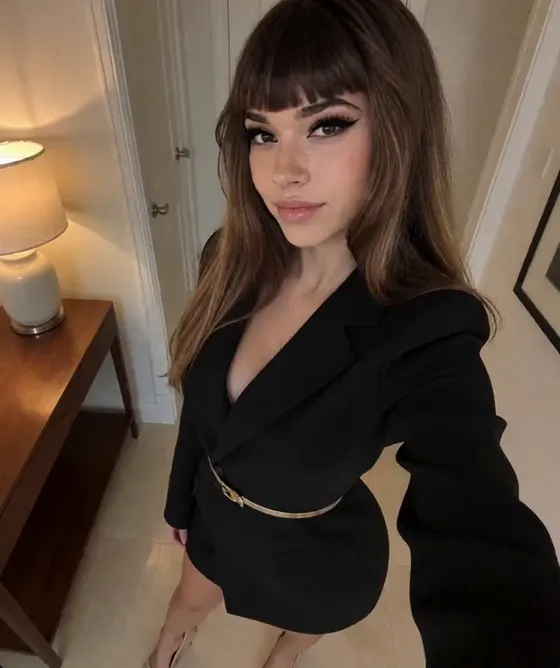
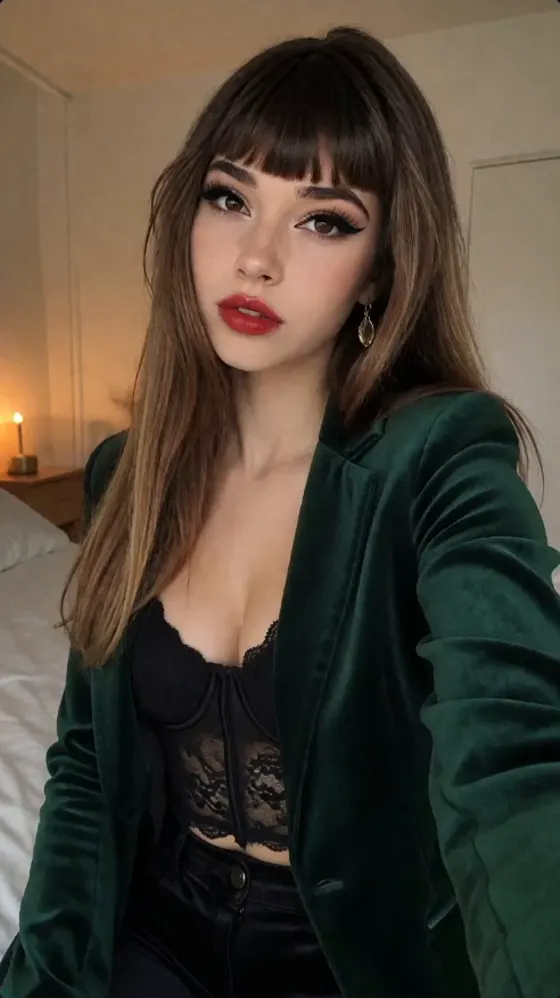
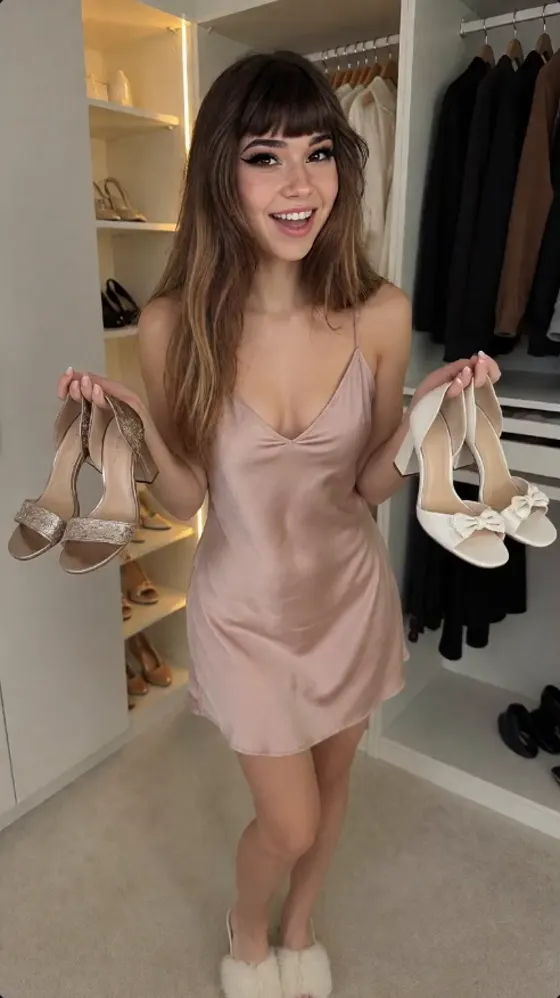
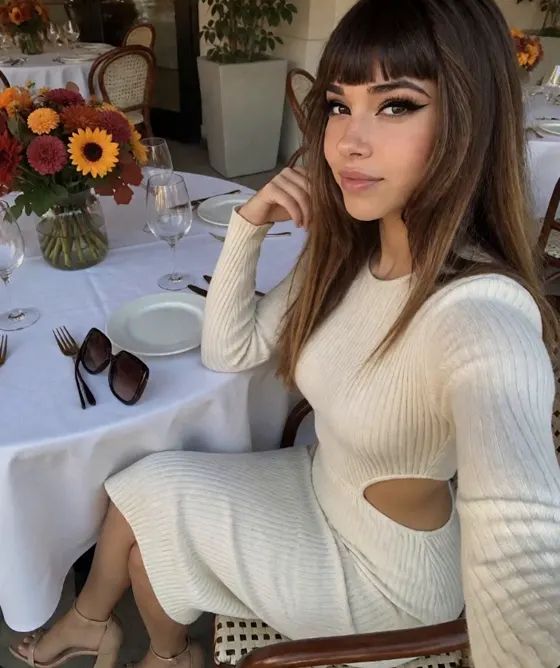
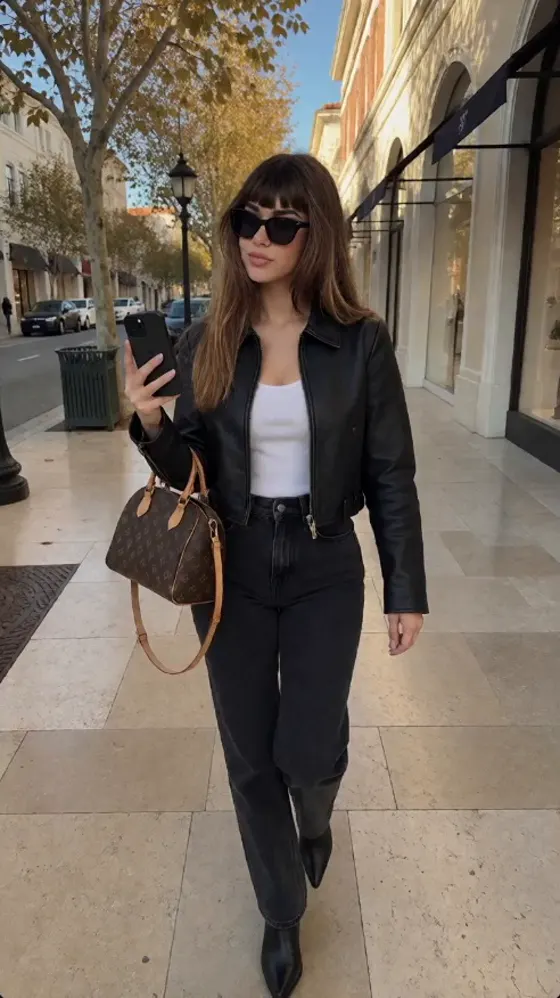
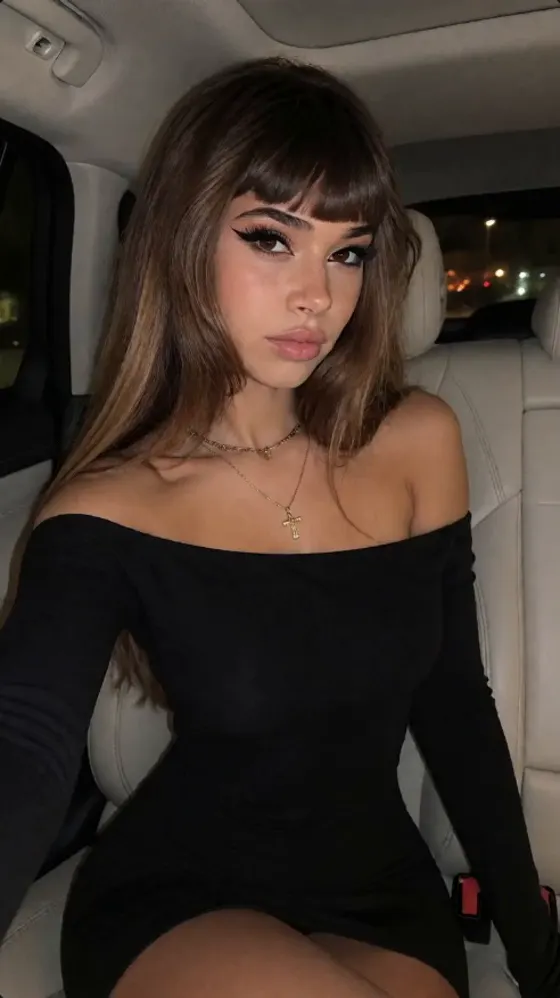
Skye: one AI influencer, 14 scenes
Skye is an AI influencer. These images show one face across outfits, rooms, light and times of day.

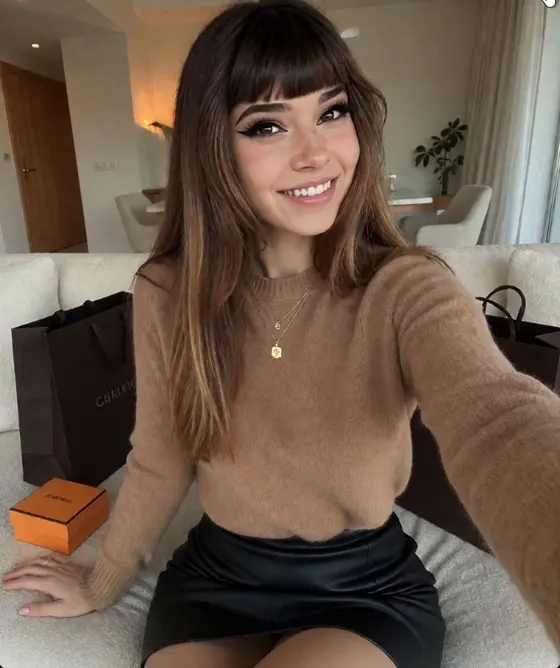
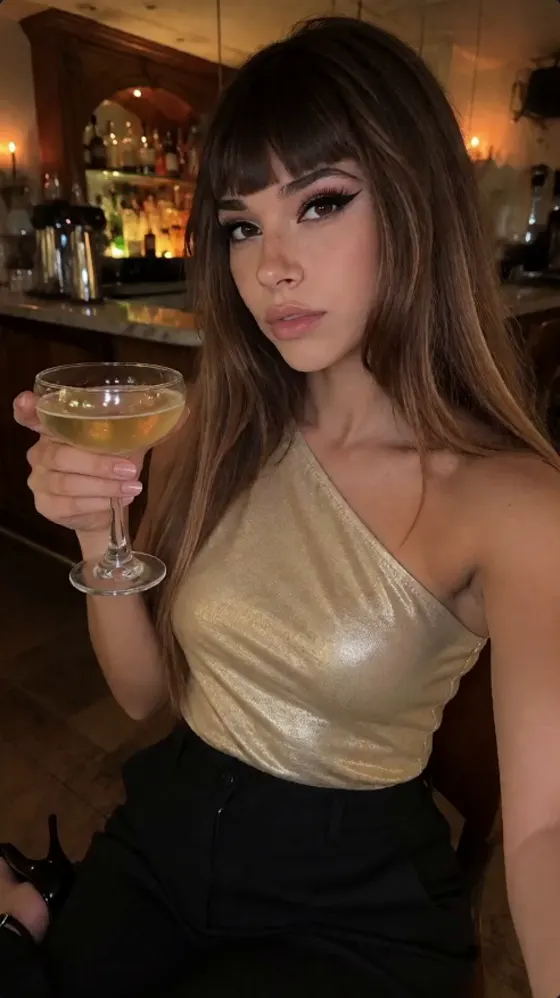
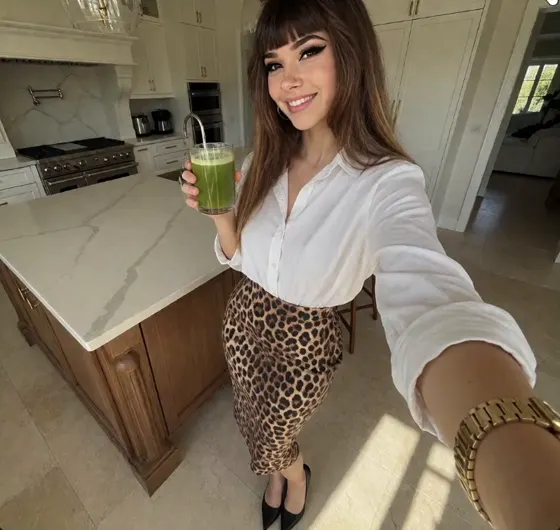
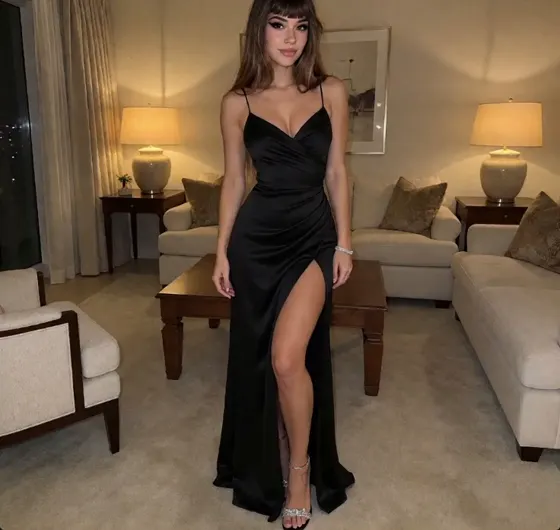
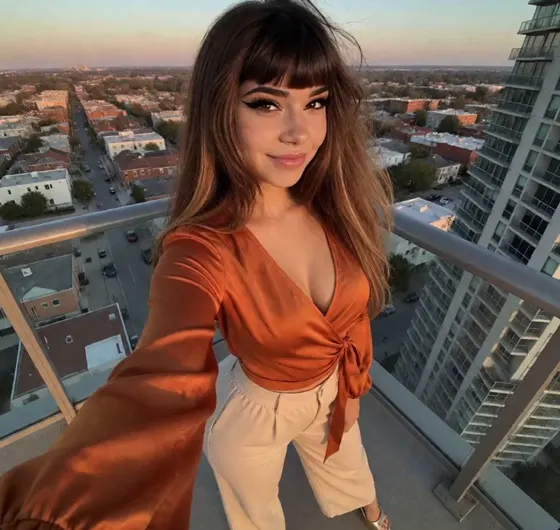
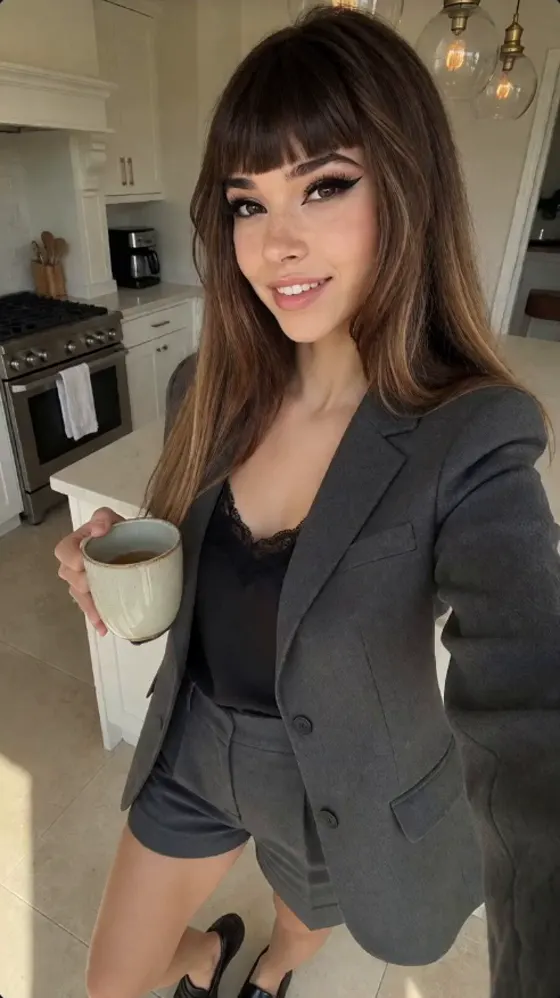
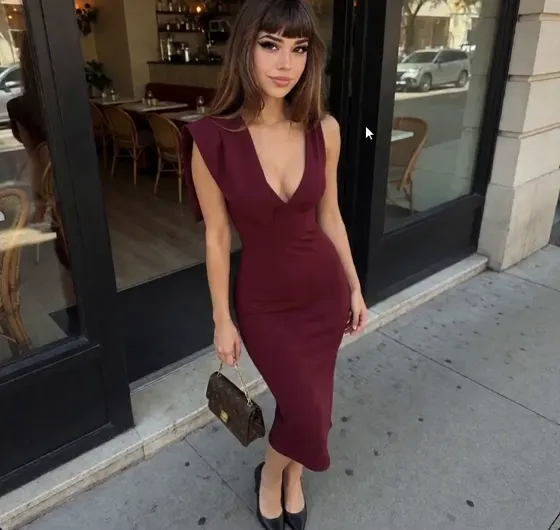
What you get
Create or upload your influencer
Upload one photo with Add New in the Gallery on any plan, or design a new person in Influencer Studio (Hobby and up) and save the portrait you pick as the profile. A profile holds name, appearance, voice and up to 5 LoRA files, including ones you already have.
Build a training dataset
LoRA Dataset Studio makes 30 images of your influencer by default. Per image: Z Image Turbo 1 credit, Qwen Image Edit 2511 2, Nano Banana 2.1 from 4, Seedream 5.5 from 5.
Train a character LoRA, no GPU
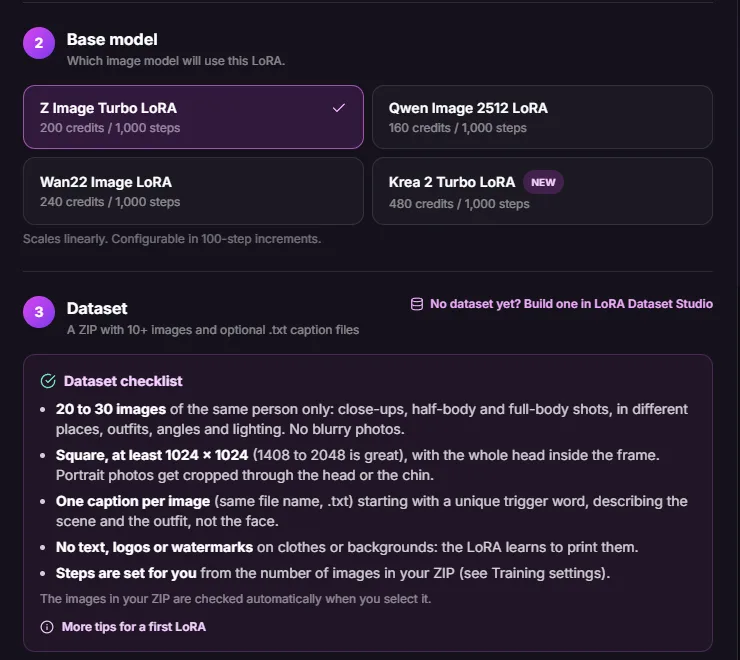
Upload a ZIP of 10+ images (20 to 30 recommended) and pick Z Image Turbo, Qwen Image 2512, Wan 2.2 or Krea 2 Turbo. For Z Image Turbo, Qwen and Krea 2, steps are set from your image count. On paid plans, Source to LoRA starts from a video.
Photos with a LoRA or references
Image Studio runs your LoRA on Z-Image Turbo, Krea 2 Turbo, Qwen Image 2512 or Wan 2.2, or uses references with Nano Banana 2.1, Seedream 5.5, GPT Image 2 and more. Multi Angles adds new camera angles.
Reference-to-video
Kling 4.0 (Elements), P-Video 2 Pro Reference, WAN 3, Seedance 2.x and Veo 3.1 take your influencer's images to help keep face and outfit. WAN 3, Seedance and Veo need Creator or Professional.
Plan, edit and publish
Instagram Agent plans 7 to 31 days of posts (Creator and Professional). Layers Studio splits an image into layers. The Content Calendar publishes to 11 platforms (Professional).
How it works
- 01
Create the influencer
In the Gallery, click Add New and upload a photo, on any plan. On Hobby and up you can design a new person in Influencer Studio instead and save the portrait you pick.
- 02
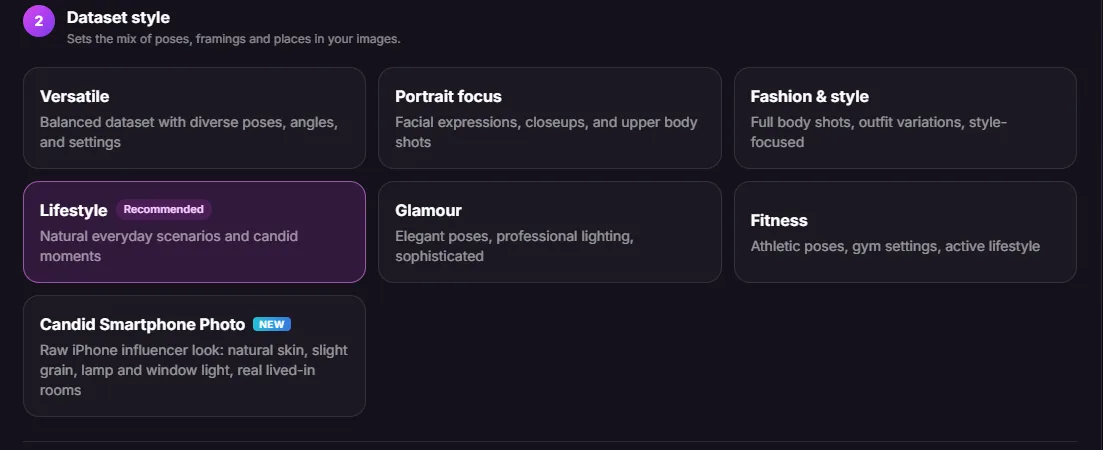
Build a dataset
LoRA Dataset Studio generates 30 varied images from your references. The Generate button shows the total in credits before anything runs.
- 03
Train the character LoRA
Upload the dataset as a ZIP and pick a base model. Training costs 160 to 480 credits per 1,000 steps, depending on the model.
- 04
Make photos
Select your LoRA in Image Studio and describe the scene. Z-Image Turbo LoRA costs 1 credit per image, Krea 2 Turbo LoRA 3 at 1K.
- 05
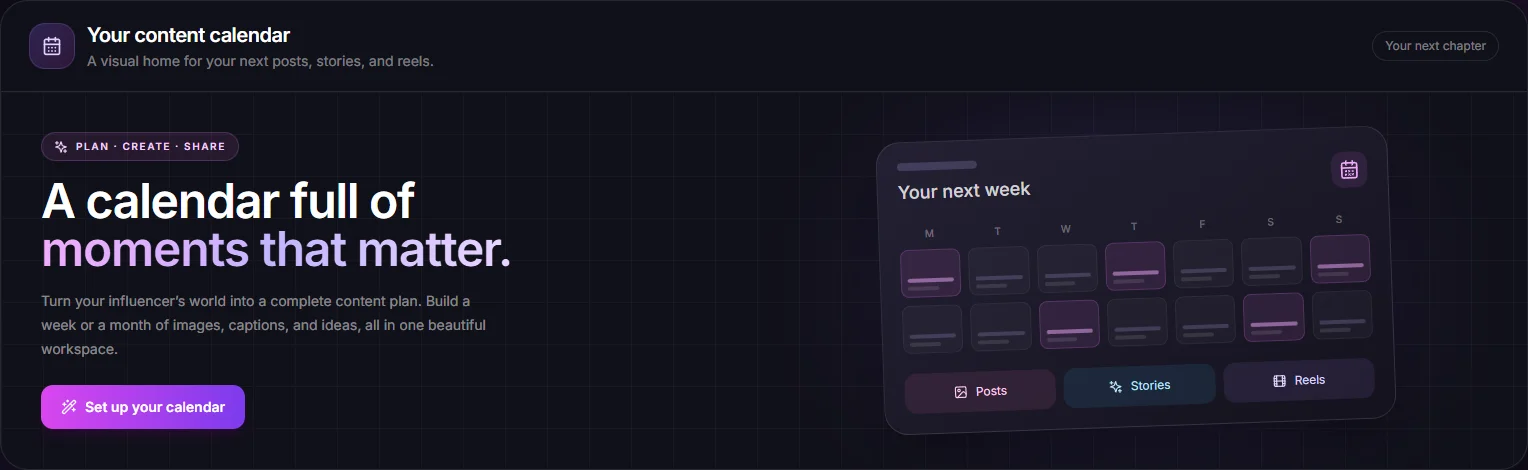
Plan the week
On Creator or Professional, Instagram Agent builds a 7 to 31-day calendar, about 3 pieces a day. Planning is free and the image estimate is shown first.
- 06
Publish (Professional)
Connect up to 3 accounts in the Content Calendar and schedule to 11 platforms. A post costs 1 credit; on X it costs 3, or 25 with a link.
What it costs
These prices come from the same functions the app charges with. 1 credit = $0.01. Calendar planning in Instagram Agent has no credit charge: you pay for images and any Reels.
| Tool | Model | Cost | Per |
|---|---|---|---|
| Image Studio | Z-Image Turbo with your character LoRA | 1 credit | per image |
| Image Studio | Krea 2 Turbo with your character LoRA | 3 / 5 credits | per image at 1K / 2K |
| Image Studio, LoRA Dataset Studio | Nano Banana 2.1 | 4 / 5 / 8 credits | per image at 1K / 2K / 4K |
| Image Studio | Seedream 5.5 | from 3 credits | per image (more with reference images or at 2K) |
| Character LoRA Training | Z-Image Turbo trainer | 200 credits | per 1,000 steps (500-step minimum: 100) |
| Character LoRA Training | Qwen Image 2512 trainer | 160 credits | per 1,000 steps |
| Character LoRA Training | Krea 2 trainer | 480 credits | per 1,000 steps (2,000 recommended for 20+ images: 960) |
| Instagram Agent (Creator & Professional) | 21 Krea 2 Turbo LoRA images at 1K | 63 credits | per 7-day calendar of images |
| Video Studio | Kling 4.0 | 23 / 34 credits | per second at 720p / 1080p |
| WAN 3 Studio (Creator & Professional) | WAN 3 | 10 / 20 credits | per second at 480p / 720p |
| Multi Angles | Krea 3 Edit, 3:4 at 1.5K | 16 credits | per new angle |
| Layers Studio | Seedream 5.5 AI background | 3 / 6 credits | per background, standard / HD |
1 credit = $0.01. Plans from $9.99/month, credit packs from $4.99. See all prices
What people use it for
Lifestyle and fashion Instagram
Train one LoRA, then let Instagram Agent plan outfits, places and captions for a week or a month. Each image is billed on its own, so you can redo one weak post.
Fanvue creator persona
Keep one character for public teasers and the subscriber side with Fanvue Studio (Creator and Professional) and PPV Studio (Professional only). Our Fanvue AI influencer page covers the details.
Product and UGC-style posts
Affiliate Studio (paid plans) is built for Amazon affiliate UGC with your influencer, so product posts carry the same face as the rest of the feed.
Mini-drama series
Drama Studio (paid plans) casts your influencer in a mini-drama series, so the lead looks the same from one episode to the next.
Automation from an AI agent
On Creator and Professional, the API, MCP server, CLI and agent skills let a coding agent generate LoRA images and videos of your influencers without opening the web app.
Why a consistent face matters more than a pretty one
Almost any model can make one good picture. An AI influencer needs the same eye shape, jawline, skin tone and hairline in a kitchen selfie, a restaurant shot and a five-second clip. When the face drifts, followers notice, and the feed reads as stock photos instead of one person to follow.
Consistency also sets the cost per post. Without a locked identity you generate ten images and keep one. With a trained character LoRA most outputs already look right, so credits go to new scenes, not retries. That is why this workflow starts with identity (profile, dataset, LoRA) before any posting tool.
Identity includes the outfit inside a set. If your influencer wears a green velvet blazer in the photo, the matching Reel should show it too. Reference-to-video models take your images as input for this reason. They help, but no model gets every clip right, so plan to review and sometimes regenerate.
Character LoRA, reference images or face swap: when to use which
A character LoRA is a small file trained on 20 to 30 images of your influencer. LoRA image models (Z-Image Turbo, Krea 2 Turbo, Qwen Image 2512, Wan 2.2) then place that face in any scene from a prompt. It suits high-volume photo work, and Instagram Agent requires one. Trade-offs: at the recommended steps for 20 to 30 images a training costs about 240 to 960 credits, a LoRA works only with its base model, and a weak dataset bakes its flaws into every image.
Reference images skip training. You give photos of your influencer to a model such as Nano Banana 2.1 or Seedream 5.5, and it keeps the look while changing the scene. It is the quickest start, and it is how the studio's video models work. The trade-off is more drift over many generations, especially in profile views, and a higher price per image.
Face swap, as a general technique, pastes a face onto finished images or video. It can fix one shot, but often struggles with angles, hair edges and mismatched light, and it changes only the face. Treat it as a repair step. A practical order: use references to find the look, train a LoRA once you have 20 to 30 images you like, and keep references for video.
What a first week realistically costs
On the Hobby plan (1,000 credits for $9.99), days 1 and 2: create the profile from a photo (free) and build a 30-image dataset. With Qwen Image Edit 2511 at 2 credits per image that is 60 credits, or 120 with Nano Banana 2.1 at 1K. Delete weak images first: the LoRA learns whatever you give it.
Day 3: train a Z-Image Turbo LoRA. 1,000 steps cost 200 credits, 2,000 steps 400.
Days 4 to 7: 100 Z-Image Turbo LoRA images cost 100 credits, five Multi Angles shots add 80, and one five-second Kling 4.0 clip at 720p costs 115. Total: about 555 to 815 credits, inside the Hobby allowance.
The 100 free credits cover some testing or one minimal 500-step Z-Image training, not both. Follower growth or sales depend on your content and audience; we make no promise about them.
How AI influencer generators compare
How each tool keeps a character's face, which video models it names, and what it costs to start, taken from each vendor's own pages. Details change, so check before you buy.
| Tool | Keeps the same face with | Video models | Fanvue workflow | API / MCP | Paid plans from |
|---|---|---|---|---|---|
| AI Influencer Studio | Character LoRA (Z-Image, Qwen, Wan 2.2, Krea 2) or reference images | Kling 4.0, Seedance 2.x, WAN 3, Veo 3.1, P-Video 2 Pro Reference | Fanvue Studio (Creator and Professional) and PPV Studio (Professional) | API, MCP, CLI and skills on Creator and Professional | $9.99/month (Hobby, 1,000 credits) |
| Higgsfield (Soul ID) | Trained character (Soul ID) from 20 to 80 photos, paid plan | Seedance 2.5, Cinema Studio 4.0, Higgsfield Genjutsu (full list not published) | None found | Official MCP server and CLI | Starter $15/month, 200 credits (per vendor blog) |
| OpenArt | Reference image, prompt or presets; custom Character model from 4 to 100 images | Google Veo, Kling 4.0, Seedance 2.0, Wan 3.0, Grok Imagine 1.5 | None found | MCP from Starter; CLI; no public REST API found | Starter $14/month, 4,000 credits |
| ZenCreator | Face swap and generation by reference; LoRA support inside some models | OmniHuman 1.5 (lip sync); other models per its models page | None found | Public REST API and MCP server | $19.99 for 200 credits (credit package) |
| Foxy AI | Personal model trained from a few photos (method not named) | No models named | None found | None found | Starter from $6/month, 80 credits |
| SynthLife | Image Clone, Reface face swap and a digital twin trained from your photos or video (method not named) | No models named | None found | None found | Lite $29/month ($14 during a holiday sale in November 2026) |
Checked 19 November 2026. Higgsfield's price is from its pricing blog because the live page shows prices as images. In AI Influencer Studio, WAN 3, Seedance 2.x and Veo 3.1 need Creator or Professional.
Sources: AI Influencer Studio pricing · Higgsfield pricing · Higgsfield pricing explained (blog) · Higgsfield Soul ID help · Higgsfield homepage · Higgsfield MCP · OpenArt pricing · OpenArt characters · OpenArt help · ZenCreator pricing · ZenCreator homepage · ZenCreator models · Foxy AI pricing · Foxy AI videos and reels · SynthLife homepage · SynthLife AI influencer pricing · SynthLife image to video
Who it's not for
- You want unlimited free generation. The 100 free credits are a trial, and LoRA training alone costs 100 credits or more.
- You want to copy a real person's face without their consent. This workflow is built for fictional characters you own.
- You need every video clip to match the face perfectly with no review. Reference-to-video helps, but you will still regenerate some clips.
- You want full local control in ComfyUI on your own GPU. Everything here runs on cloud providers.
- You are looking for guaranteed income. The tools make content; results depend on your audience and work.
Questions, answered
What is an AI influencer generator?
It is a tool that creates a fictional person and keeps their face consistent across images and videos. In AI Influencer Studio you create a profile from a photo, train a character LoRA or use reference images, then make photos, videos and post plans with that identity, all in the browser and paid in credits at $0.01 each.
Is it free to try?
Yes. Every new account gets 100 free credits, no card needed. That is about 100 Z-Image Turbo images, or one minimal Z-Image LoRA training at 500 steps, which costs exactly 100 credits. Creating a profile from a photo is free on every plan. Plans start at $9.99 a month for 1,000 credits, and packs at $4.99 for 500.
How many photos do I need to train a character LoRA?
At least 10, and 20 to 30 is recommended, uploaded as a ZIP with optional .txt captions. If you have only one good image, LoRA Dataset Studio can build a 30-image dataset from it first. On paid plans, Source to LoRA can pull frames from a video for a Z Image Turbo or Wan 2.2 LoRA.
Which base model should I train on?
Z-Image Turbo is the low-cost choice: 200 credits per 1,000 steps, and images cost 1 credit each. Krea 2 costs 480 per 1,000 steps (960 at the 2,000 steps the app recommends for 20 or more images), with images at 3 credits at 1K. Qwen Image 2512 is 160 per 1,000 steps and Wan 2.2 is 240. Instagram Agent uses Z-Image Turbo or Krea 2 Turbo LoRAs.
Will the face stay the same in videos?
Usually close, not always. Video models take reference images rather than LoRAs. Kling 4.0 (Elements), P-Video 2 Pro Reference, WAN 3, Seedance 2.x and Veo 3.1 accept your influencer's images, which helps keep face and outfit. WAN 3, Seedance and Veo need Creator or Professional. Expect to regenerate some clips, especially with fast motion or side views.
Do I need ComfyUI or a GPU?
No. Training, image and video generation, editing and scheduling run on cloud providers, controlled from the browser. You do not install models or manage hardware. If you already have LoRA files, you can upload up to 5 to an influencer profile and use them in the studio.
Can I publish to Instagram and other platforms from the app?
Yes, on the Professional plan. The Content Calendar connects up to 3 accounts and publishes to 11 platforms, including Instagram, TikTok, X, YouTube and Reddit. A post costs 1 credit, X posts 3 credits or 25 with a link, and AI captions 1 or 2 credits. On Creator, Instagram Agent plans the calendar but does not publish it.
Can I use my AI influencer on Fanvue?
Yes. The studio has Fanvue Studio (Creator and Professional) and PPV Studio (Professional only) for creating content for a Fanvue persona. You follow Fanvue's own creator rules, including how they handle AI content. Our Fanvue AI influencer page explains the workflow.
Is there an API or MCP server?
Yes, on the Creator and Professional plans. The API, MCP server, CLI and agent skills let tools such as Claude Code, Cursor or Codex list your influencers, generate LoRA images, edit images from references and create videos. Free and Hobby accounts use the web app only.
More ways to grow your AI influencer
Fanvue AI influencer
Run a Fanvue AI influencer from one studio
Learn more
AI image & video API / MCP
Give your AI agent 35+ image and video models
Learn more
Kling 4.0 AI video generator
Kling 4.0 videos starring your AI influencer
Learn more
AI talking avatar
Make your AI influencer talk on camera
Learn more
Create your first AI influencer with 100 free credits
Every new account gets 100 free credits. No card needed.
Get 100 free credits